Now that DBXL v2.2 Beta is available on our website, we have begun to publish documents that relate to this new product. This week (June 21 to 25) we have published the following documents:
-
How to Create Nodes in Taxonomy: DBXL allows you to tag your qForm-based solution with a set of category filters. This document will explain how to use the qForm feature.
-
Using DBXL Resources: The DBXLResource API allows users to use custom XML in their DBXL Document Type Configurations. This document explains various scenarios that merit the use of XML resources.
-
How To Use the Bulk Edit Tool: Qdabra’s Bulk Edit Tool allows users to quickly perform bulk editing operations. This document will explain the options available in the Bulk Edit Tool, and it comes with the BulkEditForm.xsn file.
-
Installing and using QuickSearch: QuickSearch is a standalone web service that runs against DBXL v2.1 and v2.2. This document explains the steps required to setup and use QuickSearch in your forms.
-
How To Query the Active Directory Web Service: The Active Directory Service supports two methods: GetUserInfo and GetMyInfo. This document will show you how to set up a sample form that queries GetUserInfo with a user-entered username string.
-
Mapping and shredding in DBXL is a hot topic in the forums. You can now find the following related documents on InfoPathDev.com:
-
How to Configure Database Mappings in DBXL v2.2
-
Setting up large database mappings
-
Can't delete when there are mapping errors
-
Shredding Two Document Types to the Same Table Creates Duplicate Rows
-
Shredding Without Key Returns Error in Database Mapping
For a full list of documents available for DBXL v2.2, see the DBXL v2.2 Documentation node.
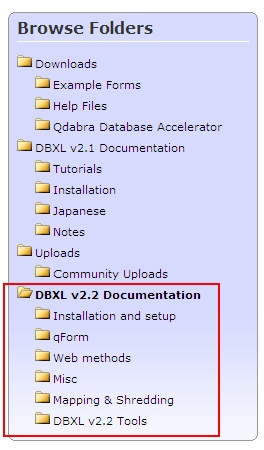
All DBXL related documentation can be found here: http://www.infopathdev.com/files/38/default.aspx