Over the years we've noticed that SharePoint updates may sometimes interfere with DBXL. Typically, correcting the DBXL App Pool identity and/or performing an iisreset fixes the issue.
We've noticed, however, that even adding a new web application in SharePoint Central Admin will cause SharePoint to change the DBXL App Pool to the SharePoint App Pool. When you try to access DBXL afterwards, you'll get an error!
Here are some screenshots illustrating the issue.
1. Before starting, we notice that the Dbxl App Pool has one application.
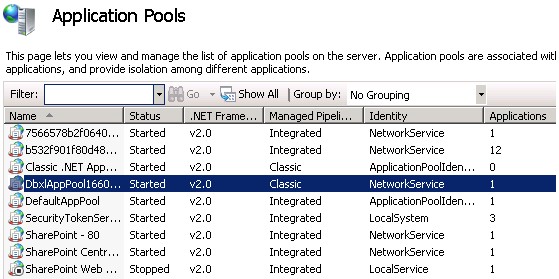
2. Then we add a new web app in SharePoint Central Admin.
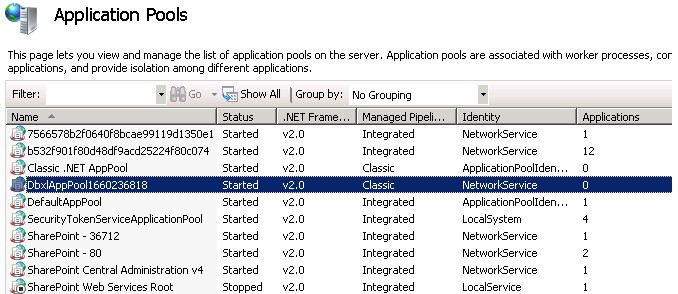
3. Afterwards, the Dbxl App Pool has no applications!
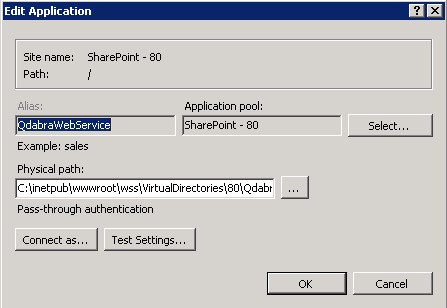
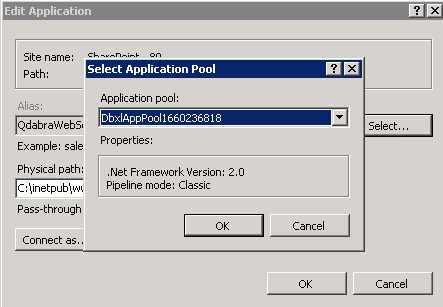
To fix this, update the QdabraWebService to use the Dbxl App Pool once again, and DBXL will return to its previous, working state.
If you have questions or encounter similar issues, please contact Qdabra Support.