When troubleshooting issues on a server where DBXL is installed, DO NOT stop the SharePoint Foundation Web Application service. Stopping this service will remove the IIS sites from the server. Starting the service recreates the site, but the DBXL install will be lost. Here's a screenshot showing the service in SharePoint Central Administration.
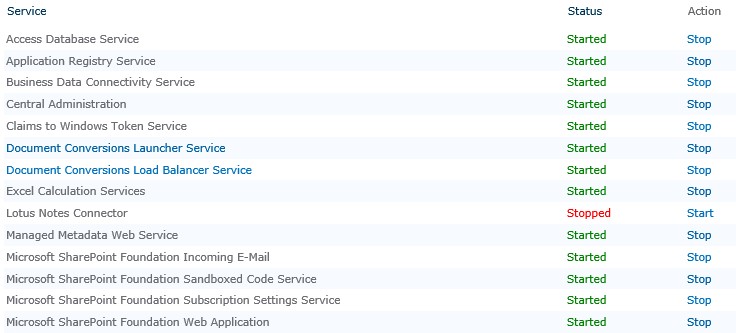
If this should happen to you, you'll find that DBXL is still listed in Control Panel > Program, but nowhere to be found in IIS or in the folder structure. If you try to install or remove DBXL, you'll run into this error:
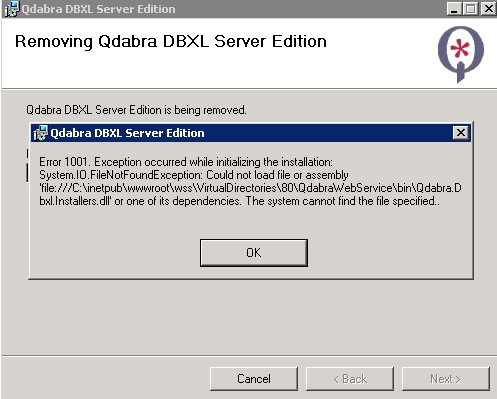
To resole this,
1. Go to the registry editor and navigate to HKEY_LOCAL_MACHINE\SOFTWARE\Classes\Installer\Products.
2. Within this location, use the Find operation to locate Qdabra (DBXL).
For example: HKEY_LOCAL_MACHINE\SOFTWARE\Classes\Installer\Products\A8E1F369782E6534894469E36122F2D3
3. Delete this key.
4. Reinstall DBXL using the existing databases.
Thankfully, this process re-uses the databases, which means your document types and documents are all retained.