qRules SaveToSharePoint command allows users to save a file, a set of files, an image, or a set of images to a SharePoint document library. qRulesLink field contains the link to the file or image that was uploaded to your SharePoint document library, but often times clicking that link in an InfoPath form opens file in a read-only mode.
If you wish to open it in edit mode, then replace the http in the link with file, and the file should open in edit mode.
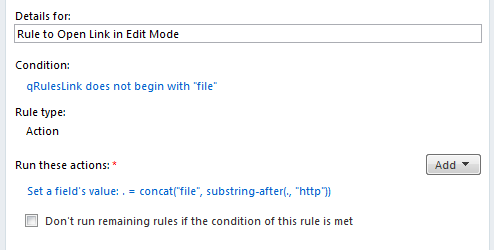
For example: Create a rule on the qRulesLink field. Set a condition such that run this rule if the link doesn’t already start with file.
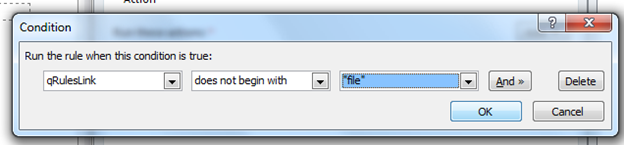
The action of the rule should set the qRules link field to: value = concat("file", substring-after(., "http"))
Your final rule on the qRulesLink field should look similar to the below one: