When working with DBXL and other
applications, you need SQL. Some organizations deal with multiple SQL
instances and this can create a problem if some SQL instances are on
different domains. When we attempt to connect an SQL instance using SQL
Server Management Studio, we might encounter an error that reads: ‘Cannot generate SSPI context’.Here’s a workaround if you find yourself in a similar situation:
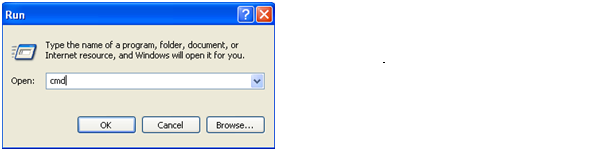
1. Launch command prompt (cmd).
2. Use “runas” to launch SQL Server Management Studio. Specifying the userdomain\useralias of the account user.

For SQL Server 2008 Management Studio, the command will be similar to this:
runas /netonly /user:userdomain\useralias
"C:\Program Files\Microsoft SQL
Server\100\Tools\Binn\VSShell\Common7\IDE\Ssms.exe"
For Microsoft SQL Server Management Studio 2005, you’ll use this:
runas
/netonly /user:userdomain\useralias "C:\Program Files\Microsoft SQL
Server\90\Tools\Binn\VSShell\Common7\IDE\Ssms.exe"
Note: This should work on Vista, Windows 7 and Windows Server 2008, but has not been tested with 2003 or XP.