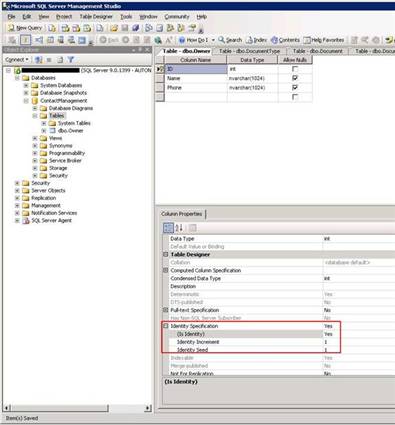
To Shred data, extract form fields into SQL tables, you need to create a database and table(s) to place the data. For this exercise the database will only need one table, but in later exercises we will shred the XML into several tables, with several different levels of relationships. Note that the table we are about to create in the target database has a total of three columns, but the form that we are shredding only has two nodes. The reason the extra node is required is so that DBXL can keep track of which rows in the DB table correspond to which Document in the DBXL database. The easiest way to add this column is to mark the column as an IDENTITY [link: MSDN Documentation on this property]. Two very important characteristics that IDENTITY columns have are the ability to automatically increment the value with each insertion of a new row, and the ability to anonymously reference this column. With the latter of the abilities, there is no need to inform DBXL that a certain table has an IDENTITY column. If there are no keys defined for a certain table, DBXL assumes that there is an IDENTIY column present and takes the appropriate actions. Generally, the IDENTITY column is marked as the primary key for a table, but this is not required.