Receive email notification but unable to view submitted form in SP 2013 - InfoPath Dev
in

InfoPath Dev

Receive email notification but unable to view submitted form in SP 2013

Last post 09-28-2018 07:53 AM by Hilary Stoupa. 1 replies.
Page 1 of 1 (2 items)
Sort Posts: Previous Next
  • 09-26-2018 09:49 AM

    • Blue1
    • Not Ranked
    • Joined on 09-24-2018
    • Posts 1

    Receive email notification but unable to view submitted form in SP 2013

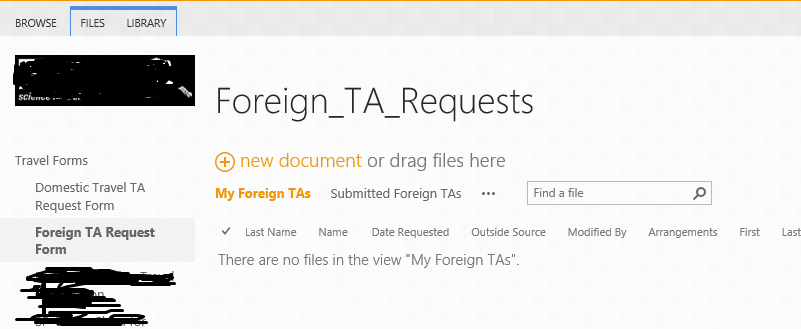
    Hi, I'm fairly new to InfoPath. I created in InfoPath Designer 2013 that sends an email once it's been submitted. This works fine. My problem is that after it's submitted I'm unable to view it in Share Point 2013, it doesn't show up anyway. It says 'There are no files in the view'. Users (as well as myself) should be able to view the form that was just submitted and have the ability to make changes. I've compared the settings to other forms that work and can't figure out what the issue might be. Any assistance would greatly be appreciated. Thanks in advance.
    Blue1
  • 09-28-2018 07:53 AM In reply to

    Re: Receive email notification but unable to view submitted form in SP 2013

    So the form submits to the library as well as email? I'm wondering if right now you are just submitting to email. If you change to submit using rules, you can submit to multiple data sources.
    Hilary Stoupa

Page 1 of 1 (2 items)
Copyright © 2003-2019 Qdabra Software. All rights reserved.
View our Terms of Use.