Repeating table, update field outside of table. - InfoPath Dev
in

InfoPath Dev

Repeating table, update field outside of table.

Last post 10-18-2017 04:21 AM by shanemeisner. 2 replies.
Page 1 of 1 (3 items)
Sort Posts: Previous Next
  • 10-06-2017 10:06 AM

    Repeating table, update field outside of table.

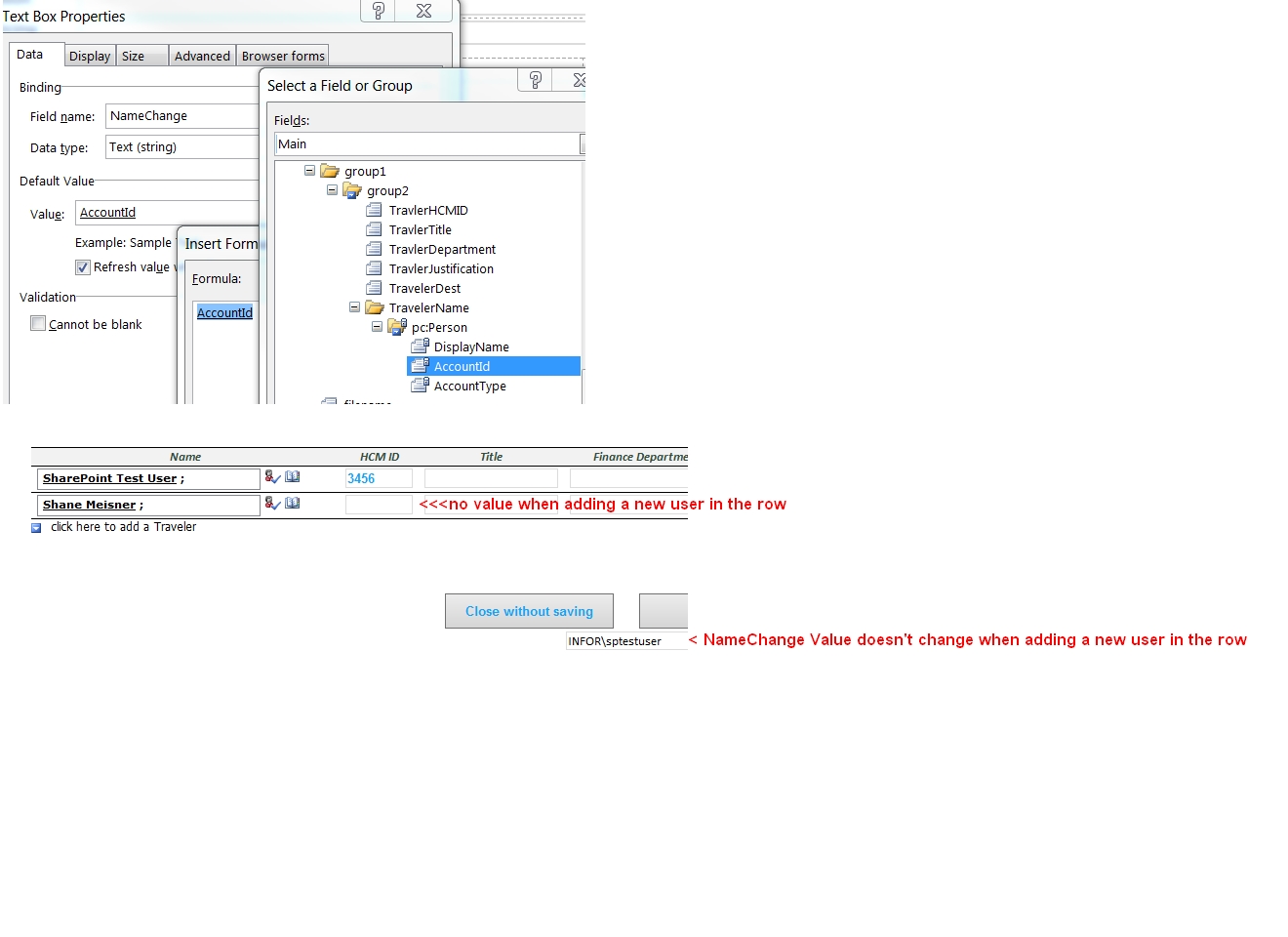
    In a Repeating table, when I select a users name for the first row, it updates a text field( NameChange ) outside the repeating table with the Account ID from the User Profile Service.
    I'm using a Text field because Person/Group lookup don't allow Action rules.

    As seen in the attachment, I set the Default value of the NameChange field to be equal to the AccountID of the Person Field.

    Then I have rules in the Text field that run when the value changes.
    The first rule retrieves the Account Name of the current field from the User Profile Service.
    The second rule sets the "TravelerHCMID" field in the Repeating table to the users Employee ID. Then I have additional rules that set the users Department and Title.

    This all works great.... For the First Row. The NameChange Field updates with any name changes for the first row as do the other fields in the first row.

    But when I add a 2nd row, the Field outside the Repeating table isn't getting updated and the Other fields in the 2nd row are also not updating.

    Thanks in Advance for any help given,
    Shane Meisner


    SharePoint Business Analyst
  • 10-09-2017 07:54 AM In reply to

    Re: Repeating table, update field outside of table.

     People pickers are a pain. The default for your NameChange field will only have the 1st instance unless you use a double eval to set it. Is NameChange inside group2? It needs to be. And make sure the People Picker doesn't allow multiple selections - you want a new instance of group2 for each row. Does that make sense?

    Hilary Stoupa

  • 10-18-2017 04:21 AM In reply to

    Re: Repeating table, update field outside of table.

     Thank You!!!

    Adding the NameChange field to the repeating table and adding a re-query of the user profile connection rule after setting the Account Name did the trick!

    SharePoint Business Analyst
Page 1 of 1 (3 items)
Copyright © 2003-2019 Qdabra Software. All rights reserved.
View our Terms of Use.