InfoPath 2010 blank form - InfoPath Dev
in

InfoPath Dev

InfoPath 2010 blank form

Last post 08-31-2017 11:48 AM by BrianAdams. 10 replies.
Page 1 of 1 (11 items)
Sort Posts: Previous Next
  • 08-24-2017 11:54 AM

    InfoPath 2010 blank form

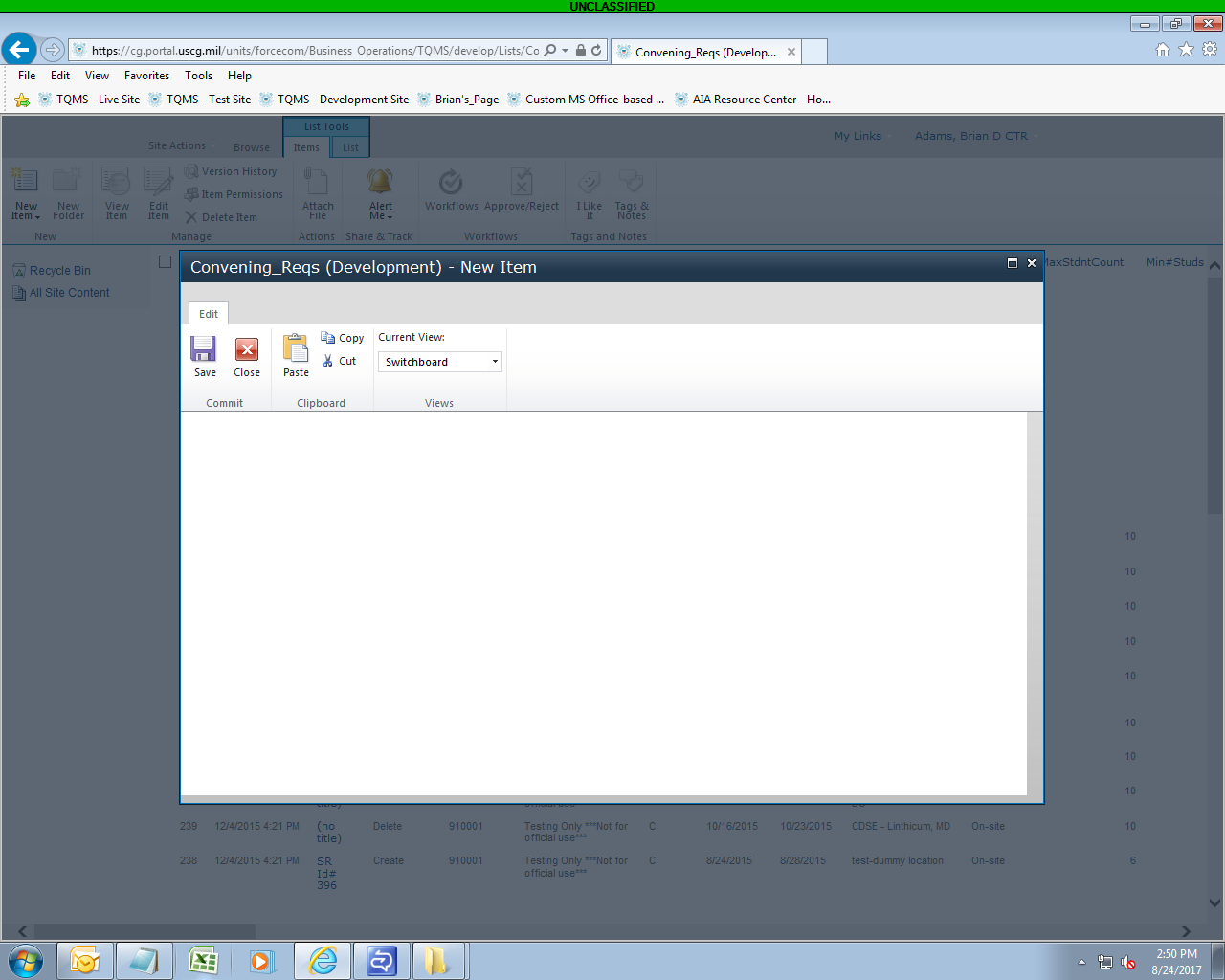
     I have been working on a form which up until recently was working. If I customize the form, I can see all the fields, and the form functions as expected. However, when I select a new item, all I get is a blank form with no labels, fields etc. see attached. Some updates have been to form such as rules, data connections etc I have tried previous version that I saved, but get same result

  • 08-25-2017 08:15 AM In reply to

    Re: InfoPath 2010 blank form

     Can I see the template?

    Hilary Stoupa

  • 08-25-2017 08:29 AM In reply to

     See attached, we have 2 versions: Test and Development. The test version is working, but the Development version (attached is not). The Development version has more views than the test, but I believe they are the same with the views they have in common

  • 08-25-2017 09:00 AM In reply to

     attached is the test version for comparison if that helps

  • 08-25-2017 09:20 AM In reply to

    Re: InfoPath 2010 blank form

    Thanks - I'll take a look sometime before the end of the day & see if I can see something that makes sense. :)
    Hilary Stoupa

  • 08-25-2017 11:03 AM In reply to

    Re: InfoPath 2010 blank form

    So, I wonder. In the working form, Step 1 is the default view. In the new form, Step 1 is the default view, but there is a form load rule to change to the Switchboard view. What if you make the Switchboard view the default instead of changing via a form load rule?
    Hilary Stoupa

  • 08-30-2017 06:00 AM In reply to

    Re: InfoPath 2010 blank form

    Hilary tried a number of things including suggestion above. Ended up removing everything including all views and data connections, still get the blank form. Any suggestions?
  • 08-30-2017 12:55 PM In reply to

    Re: InfoPath 2010 blank form

    Not really, I'm sorry, I've never seen anything like this before. I guess I'd save a copy of the template (I'm sure you did prior to removing all the views and data connections) - and then in the list, set the list back to NOT use InfoPath (I think that is under the list settings someplace - there is a way to remove the customized form). Verify the list works as expected with the default form then publish the customized form back up....
    Hilary Stoupa

  • 08-31-2017 07:45 AM In reply to

    Re: InfoPath 2010 blank form

    Reset to not use InfoPath, I am rebuilding from the other version I have. The form is no longer blank. We will have three versions of this app: Development (I work on the functionality without interfering with anyone else's work, Test (the testers check out the functionality, and then Live (users will be making actual requests), so I am copying as much as I can from the development version. I have also been saving the template every morning so I can go back if needed If I mess up something, but the previous versions were not working either this time. Thanks for the help
  • 08-31-2017 11:30 AM In reply to

    Re: InfoPath 2010 blank form

    What a pain - I am not sure what went wrong, but it seems like something on the list level, since your old versions also stopped working. Did you try just republishing an old version after resetting instead of rebuilding from scratch?
    Hilary Stoupa

  • 08-31-2017 11:48 AM In reply to

    Re: InfoPath 2010 blank form

    I tried publishing all previous versions back to last Monday, all those came up with blank forms. Before that did not work at all. We have the development version, so I was able to copy and paste the layout and had the data connections and dropdown list logic worked out so it took me about a day to rebuild. Thanks for helping. If you ever see this come up again, and there is a solution let me know.
Page 1 of 1 (11 items)
Copyright © 2003-2019 Qdabra Software. All rights reserved.
View our Terms of Use.