Help on Advanced Calculations - InfoPath Dev
in

InfoPath Dev

Help on Advanced Calculations

Last post 07-28-2016 12:01 PM by Hilary Stoupa. 10 replies.
Page 1 of 1 (11 items)
Sort Posts: Previous Next
  • 07-26-2016 03:25 PM

    • AFerg85
    • Not Ranked
      Male
    • Joined on 07-26-2016
    • Charlotte, NC
    • Posts 5

    Help on Advanced Calculations

    I have created an InfoPath form that is used for conducting audits. There are several views that contain different audits that can be conducted. For the sake of saving time, I'll only speak on the first view. On this view, I have 6 questions, each having 3 option buttons for answers: Yes, No, and N/A. Yes has a default value of Yes, No=No, and N/A=NA. N/A has been set to default selection on all views. On this view there is a "Calculate Score" button and a "Reset" button and a text box at the bottom that will show Pass or Fail. The "Reset" button will set all options back to N/A. The "Calculate Score" currently has 29 rules associated with it, and I can get it to do most of my calculations, but the problem lies in if someone selects an option and then changes it. The rule(s) will not override what's already on my calculation view. I am sure there has to be an easier way, but right now I just cant seem to think of one.

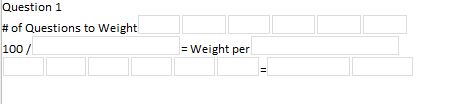
     On my calculation page, I have six field boxes first that are directly linked to each of the six questions. If a question answer is selected yes or no, it puts a value of 1 in the box. If it is selected N/A, it puts a 0 in the box. Below those six field boxes, I have another field box that sums all of the previous six field boxes. This is so I can take that number and divide 100 by it, so I know the weighted score of each question. Questions marked N/A, should not be calculated. Below that line I have six more field boxes (this is where I'm really feeling like I could consolidate somewhere) that if a question is answered Yes, it enters the weighted score that is calculated in that box. Next to these six boxes is a field box that adds up those six boxes. A score of 79 or below is a Fail, and 80 or above is a Pass.

    Answering a No to any one, not necessarily all of questions 2, 3, 4, 5, and 6 is an automatic failure; but I would still like for it to calculate a score. With my "Calculate Score" button, if I select all answers one time and do not change my answer, it seems to work. If I go back and change one of the answers, nothing on my calculation page will change or recalculate.

    I know this is long and I hope it doesn't discourage others from helping. Please note that I can provide anything from my InfoPath Template that may help in providing a solution.


    Thanks,

    Adam 

  • 07-27-2016 08:13 AM In reply to

    Re: Help on Advanced Calculations

    What would help me understand best would be a copy of the template. Can you attach it to a reply under the options tab?
    Hilary Stoupa

  • 07-27-2016 09:15 AM In reply to

    • AFerg85
    • Not Ranked
      Male
    • Joined on 07-26-2016
    • Charlotte, NC
    • Posts 5

    Re: Help on Advanced Calculations

     Thanks, Hilary, it would be a great help. Please excuse the questions, they had to be re-written due to sensitive nature of the information.

  • 07-27-2016 03:46 PM In reply to

    Re: Help on Advanced Calculations

    Okay - can you help me out a little with what you want here? I'm confused. :) I'm guessing for each question, Yes, No and N/A should have different values? Would it be okay to set the option buttons to numbers? So when you click "yes" the field will be "2", for example?
    Hilary Stoupa

  • 07-27-2016 03:53 PM In reply to

    • AFerg85
    • Not Ranked
      Male
    • Joined on 07-26-2016
    • Charlotte, NC
    • Posts 5

    Re: Help on Advanced Calculations

    Changing the values would not be an issue. The end result should be a Pass/Fail, but also have a score available for record purposes. A few caveats are, anything marked NA does not get calculated, weights per question would be recalculated. Any question in red, or critical, would cause an automatic failure, but a score should still be calculated. The final score is ok being on the calc view, but a Pass or Fail must be present on the questions view. I think I have gotten to the point where I'm thinking too much and missing something obvious in front of me. Thanks again for any help.

  • 07-27-2016 04:01 PM In reply to

    Re: Help on Advanced Calculations

    Yeah - I'm trying to think of a way to make this less complicated. To start with, I'm confused by the rules on the calc score button - it set's the tdc_calc field to 1 if the answer is yes or if it is no?
    Hilary Stoupa

  • 07-27-2016 04:05 PM In reply to

    • AFerg85
    • Not Ranked
      Male
    • Joined on 07-26-2016
    • Charlotte, NC
    • Posts 5

    Re: Help on Advanced Calculations

     That was the only logical way that I could think of to calculate how many questions need to be scored. If the question is NA, it wont be counted. So if 5 questions are yes or no and 1 is NA, then it would calculate 100/5 instead of 100/6. Of course this is based on a 100 point rating system.

  • 07-27-2016 04:43 PM In reply to

    Re: Help on Advanced Calculations

    Hmmm. Okay - I'll take another look tomorrow and see if I can come up with a simpler approach. :)
    Hilary Stoupa

  • 07-28-2016 08:27 AM In reply to

    Re: Help on Advanced Calculations

    I think this sample is close. It uses default data and a normalized schema. Save the file locally, right click and select design to open in design mode, from there you can preview. If you look under the data tab in the ribbon, you'll find the button to open the default data & can find where I added the questions.
    Hilary Stoupa

  • 07-28-2016 09:55 AM In reply to

    • AFerg85
    • Not Ranked
      Male
    • Joined on 07-26-2016
    • Charlotte, NC
    • Posts 5

    Re: Help on Advanced Calculations

     That looks great, Hilary. I now have to spend some time learning what exactly you did so I can understand. I have never used default value's and schema before. I guess that shows my lack of advanced knowledge. The only thing that I did was remove the checkbox on the don't run remaining rules for Set Result to Fail so that the score still calculates even if they get a no on one of the critical questions.

  • 07-28-2016 12:01 PM In reply to

    Re: Help on Advanced Calculations

    Yeah, poke around the form & and post any specific questions you have about the design here, because I'd be happy to help explain it. :)
    Hilary Stoupa

Page 1 of 1 (11 items)
Copyright © 2003-2019 Qdabra Software. All rights reserved.
View our Terms of Use.