Hi there,
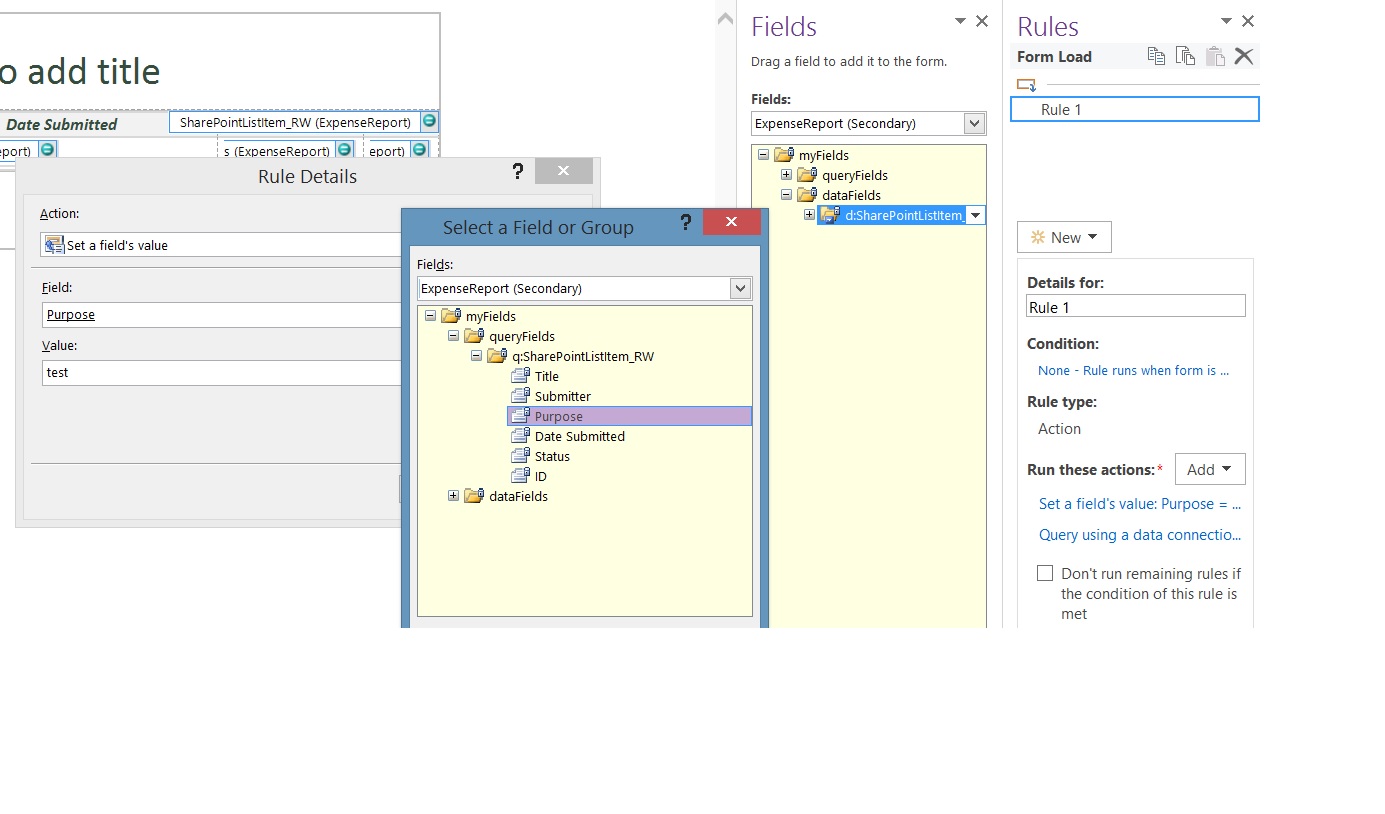
Here are the steps to query the SharePoint list and display the data in your form:
1) Create a receive data connection to that SharePoint list.
2) Create a Rule and add an action to set a fields value to query the secondary data source for the device
 3) To that same rule add an action to Query for data and select the secondary data source.
4) Select the secondary data source under Fields. Expand the dataFields and drag the repeating table to the canvas.

Hope this helps!
Kind Regards,
Reema Daga
Qdabra® Software / InfoPathDev.com / FormsQuo / 425 999 4597 direct
Business Process
Automation for Everyone –
Streamline data gathering to turn process into knowledge.™