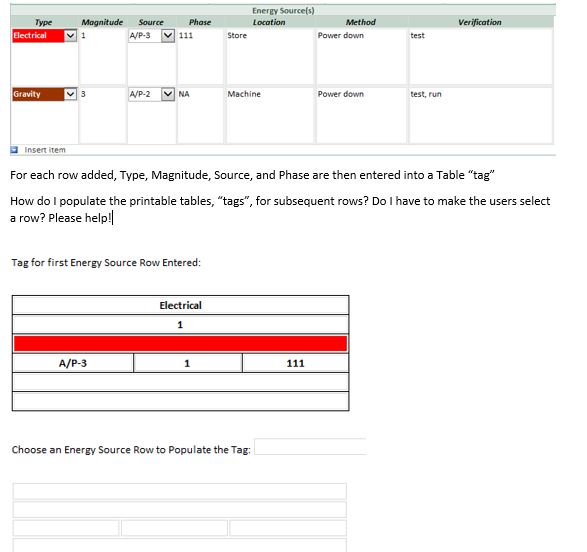
Hello, I am brand new to InfoPath- as of two days ago. I have a repeating table with 7 columns per row. I would like to extract whatever value/data is entered into a few of those column fields (for each row) and create a printable table, or "tag" as we call them, on a second page of the form. The first row was easy. I just made the printable table have set default values based on the applicable column fields in the first row of the repeating table. Now, how do I insert data into subsequent printable tables, or tags, for each following row that is inserted in the repeating table? To make this easy, I can create 10 printable table templates in the second form with text fields so that they can accommodate up to 10 repeating rows. My preference is to use the most simplified method possible.
Users complete this form via a browser in our SharePoint site. I use InfoPath 2013.
I can submit a screenshot or the form I am designing if someone could help me answer this question.