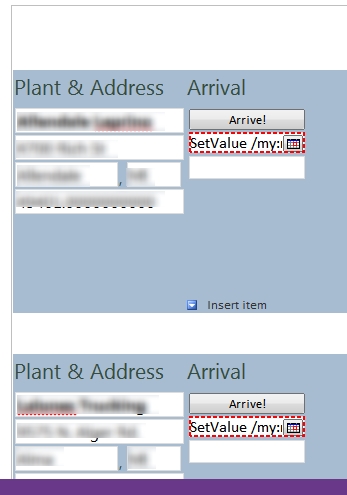
I have a repeating table setup for a number of plants that drivers at my company go to refularly. The way they curreently use the form is handwritten, however they now have mobile devices that can access a web form when they arrive at and leave each plant. The problem is, if they have to type, their not going to use it, so I wanted to setup a button to put in the arrival date and time automatically for them. Each row is populated with 1 plants information in the first column, the second column contains the arrival date, next would be picup info and then departure date. I can't for the life of me figure out how to have the button only change the instance arrival date/time and not every plant date/time. I'm attaching a screenshot to show what I want to occur, the current screenshot is showing incorrect values in the date/time for all the rows as I was trying what was suggested in this post http://www.infopathdev.com/forums/p/20486/70950.aspx and so I had setup a rule on the button as in the screenshot.
Field - dteArrive
Value - concat("SetValue /my:myFields/my:ArrivalInfo/my:dteArrival /value=", now()), except that doesn't work.
How can I set the arrival and departure time for only one instance in such a list? I could do each section as non-repeating, but we have over 100 plants, spread out over 5 or 6 forms, and I'd just as soon use a repating table so I don't have to do every single one individually.