I have a form that employees fill out when requesting to go to a
conference. I have created a workflow using WinShuttle (ShareVis). Employees include their actual expenses and
attach receipts, and the workflow moves the form on to the employee’s supervisor.
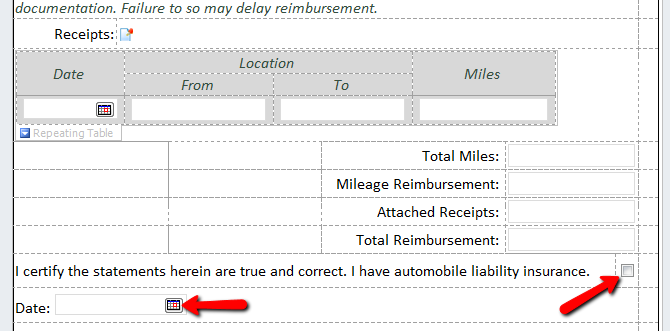
Before the form can be submitted, the employee must check a box acknowledging
that the statements are true, and must include a date – both these fields are
required. I’ve attached a screenshot. The controls in question are marked.
If the expenses are incomplete or all receipts have not been included
the supervisor can send it back to the employee for correction. The employee
gets a new InfoPath view with the values from the original submission filled
in. My problem, both of these fields are still filled in on the second view. I
want to reset these to be blank, forcing the user to check them a second time
after corrections are made. I don’t want to add additional fields because this
loop can run multiple times. I want to be able to reset the values to be blank
when they appear in a subsequent view. Anyone have an idea how to do that?
Thanks…..