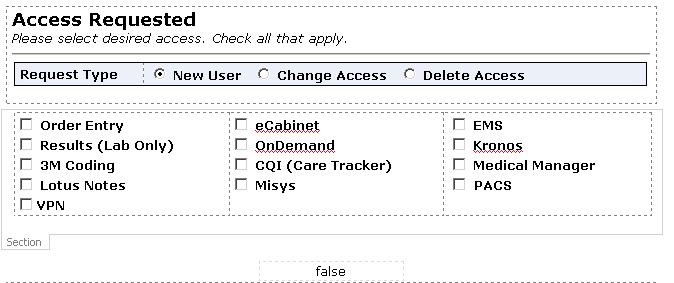
I am having trouble using rules based on a section's value to submit a form. The attached file is an image of the section I am basing the rules on. There are several checkboxes in the section (Access), each is set so that the value is blank when unchecked, and will contain the application/service name when checked. My rules are configured as follows:
-
If PACS is not blank, change view to PACS Email and submit form using PACS Email Submit.
-
If my:Access="PACS", quit processing rules.
-
Rule always applies, submit using Helpdesk Email Submit.
Rule 2 should prevent the helpdesk from receiving an email if PACS is the only access selected. However, it does not seem to trigger when filling the form out in a browser or when previewing the form in InfoPath 2007. To test this I created an expression box (bottom of attached image) with the following formula: my:Access="PACS". If I check or uncheck the box in the control's preferences while in design view the expression evaluates correctly (true for checked, false for unchecked). When I preview the form, the expression only evaluates to the default state of the control when the form preview was opened. It will not refresh when the box is toggled. The same happens in the browser.
What am I doing wrong and how can I get this to work?