Make controls fill cell - InfoPath Dev
in

InfoPath Dev

Make controls fill cell

Last post 01-17-2020 08:44 AM by Hilary Stoupa. 2 replies.
Page 1 of 1 (3 items)
Sort Posts: Previous Next
  • 01-16-2020 11:51 AM

    Make controls fill cell

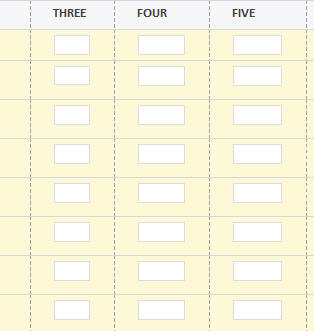
    I have a table with that is about 8 by 10, with one text box in each cell. The problem is that they are much narrower than the cells. I can drag them somewhat larger (that's a lot of tedious work) but they still don't fill the cells' width. Is there a good way to make them wider? Maybe some way to eliminate padding? Thanks Pete
  • 01-17-2020 08:36 AM In reply to

    Re: Make controls fill cell

    I see now how to eliminate padding. Select the cells and then right click to 'table properties'. It works best to do it before placing controls in the cells.
  • 01-17-2020 08:44 AM In reply to

    Re: Make controls fill cell

    You've got it. :) And if you set the controls width property to 100% they will continue to fill the cell even if you make a column wider or narrower.
    Hilary Stoupa

Page 1 of 1 (3 items)
Copyright © 2003-2019 Qdabra Software. All rights reserved.
View our Terms of Use.