Hello everybody!
I'm having an issue with my infopath form, and I hope you guys can clear it for me if possible =)
First of all, I should clarify that there are several restrictions for me (company-wide) which reduces the tools that I can use to solve my problems.
1. I can't use code. I should be able to find workarounds only with rules.
2. Infopath is my only option. The stations in which I have my form running have no office software (and we don't have powerapps yet)
A little bit of background: I work in a manufacturing plant of a big player in the automotive market. The code restriction is due to company policy on data security and I have no power to change it (for now).
So to my problem:
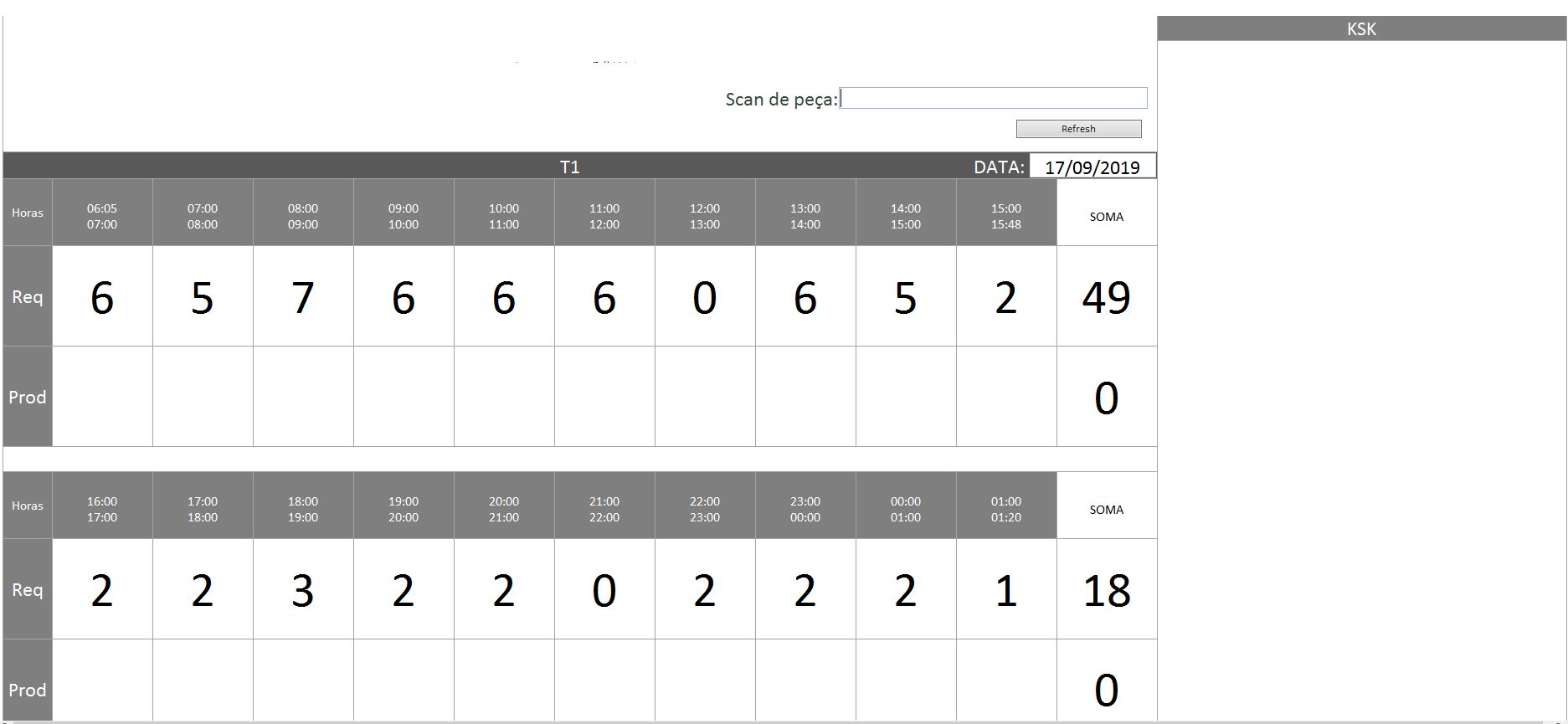
I have a form that is supposed to be opened and help my team "track" the pieces that they are producing. This is a contingency plan, given that the proper software that will do this with integration to our databases is still being developed.
To solve this issue, I created a form that the operator scan the pieces and my barcode reader is set to "tab" and then "Enter" to submit the information and change views (the view change is for the cursos to be in the field which will recieve the information again).
So far i have sucessfully created an environment in which I can keep track of the amount of pieces that are being produced. HOWEVER, our client wants the pieces in sequence, and I have to find a way to guarantee that, not only I am producing the amount of pieces requested, but i'm also producing them in the sequence that my client asked.
This control should only be visual. What I tried to do was when my operator scanned the piece, it would compare this string with a table (linked to sharepoint) that has the sequence of the day, and would format my item in the repeating table to green (screening that the piece was manufactured).
the problem is that I need this conditional formatting to stay green, and soon after I erase the string from my field (to scan the next piece) the conditional formatting disappears.
Another idea that I had was to perform a "lookup" in the repeating table which has the information from sharepoint and change another field to "OK" if it was a match to that specific string. My problem with this solution was that when he found a match, he would reduce the repeating table to only that particular string (and I need it to stay with all the elements visible at all times)
There is a basic image with the UI of my form attached. I can provide additional information as well.
Thanks in advance for any help =) and sorry if I misspelled any word, english is not my native language =(