Unable to publish Infopath approval form - InfoPath Dev
in

InfoPath Dev

Unable to publish Infopath approval form

Last post 03-03-2016 12:57 PM by Cali4nia. 4 replies.
Page 1 of 1 (5 items)
Sort Posts: Previous Next
  • 02-29-2016 03:00 PM

    Unable to publish Infopath approval form

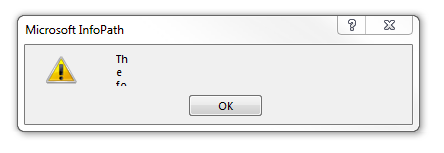
    Greetings, I'm fairly new to Infopath... it's my first time really customizing forms to my manager's specifications. I have mapped a drive to the location of the SharePoint workflow that contains the approval form I'm trying to modify (I was unable to open the form from SharePoint designer, I would click on the form and nothing happened) After I make a change and try to publish I get an error message but cannot read the entirety of it (screenshot attached) Could somebody please help me figure out how to get around this? I've been looking for an error log without luck and I'm also unable to try to troubleshoot with Visual Studio (Developer tab is not available for this form) Thank you for your help
  • 02-29-2016 03:56 PM In reply to

    Re: Unable to publish Infopath approval form

    You should be able to get the full error message if you open the event viewer, and navigate to the Microsoft Office Alerts log.
    Hilary Stoupa

  • 02-29-2016 04:25 PM In reply to

    Re: Unable to publish Infopath approval form

    Thank you Hilary! Looks like an obvious error: "The following URL is not valid: file:///Y:\Workflows\Registration\..." That it's not the URL I want this to publish to. I'm guessing the only way to change that would be to save it locally and rename it to a cab file, edit, back to cab and publish?
  • 02-29-2016 04:40 PM In reply to

    Re: Unable to publish Infopath approval form

    Yah, I'm not sure why you can't open the form in design mode via SharePoint Designer. You don't have to do the CAB / RECAB stuff. Just from the Publish menu save the form as source files. You can change things in the manifest file. Then right click manifest.xsf and select design to open in design mode and then file > Save As to pack back up as a template.
    Hilary Stoupa

  • 03-03-2016 12:57 PM In reply to

    Re: Unable to publish Infopath approval form

    Thank you, I still had to edit the manifest.xsf file with notepad to change the address it was publishing to but it worked and it let me publish from the .xsf file itself, without having to save as xsn template I appreciate your help
Page 1 of 1 (5 items)
Copyright © 2003-2019 Qdabra Software. All rights reserved.
View our Terms of Use.