I would recommend looking in to the February 28, 2013 Qdabra InfoPath Webinar. There is actually a video on YouTube they put out as well. It is more of a promotional video as without the content of the actual paid webinar the video is pretty useless. Though I have read posts here on the forums that someone tried to get it to work off of the video and then asked for further help and actually received it.
I bought the webinar, it is only $30 and I knew I was going to use that type of function in various ways. Though, a heads up, unless they have updated the content, which I know they had planned to a month ago. There are a couple errors that following the instructions exactly you won't get it to work.
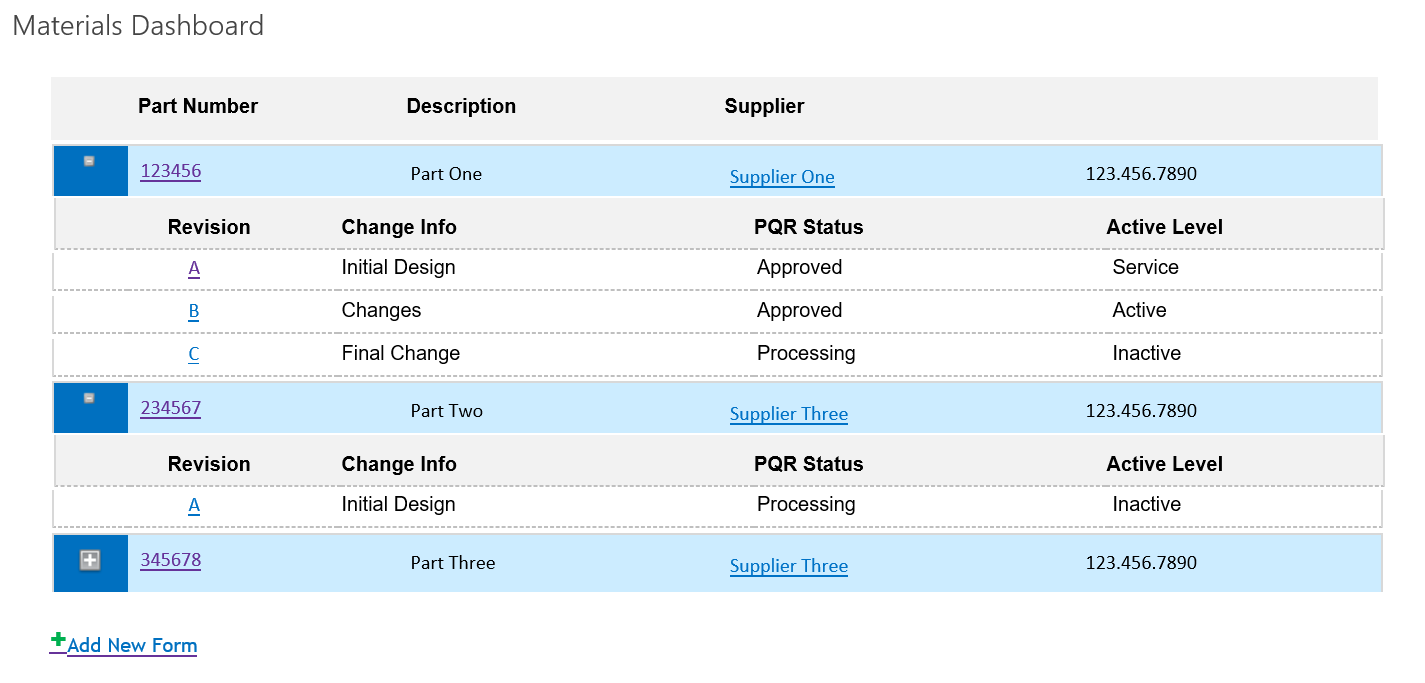
The first form I created with it was that of a Part/Revision form to track part approvals, and also will be using the parts list for various other drop downs and such. So, in the Part form library, you just add another revision and another, then when you save the form it adds all the Repeating Data about the revision to its own SharePoint List. Then you can create a dashboard that has a list of all the parts and then an expand button to see all of the revisions.
I am glad I had so many issues getting it to work though, as it forced me to look really close at how the whole thing worked. Some of the instructions aren't tuned to this being someones first real InfoPath project. I finally did receive help on here by Qdabra personnel.
If you do decide to try this method and buy the webinar, good luck to you! :) And if you run into any troubles, send me a message. As I have encountered various problems with this, even when I thought I had it all figured out, I should be able to point you in the right direction and hopefully make your experience a little less painful.
I attached a screen shot of the dashboard I described.