Hello Matt,
Thanks for the great question! I had encountered duplicate columns in SharePoint (which would occur if you promoted the field in each form). The work around is to create custom SharePoint columns to use in the publishing wizard. I recommend doing this for all fields from InfoPath forms that you want to promote, to prevent duplication.
To create the columns:
1. Go to Site settings > Web Designer Galleries > Site Columns
2. Select Create
3. Enter information for your column and select a group, or enter a new group
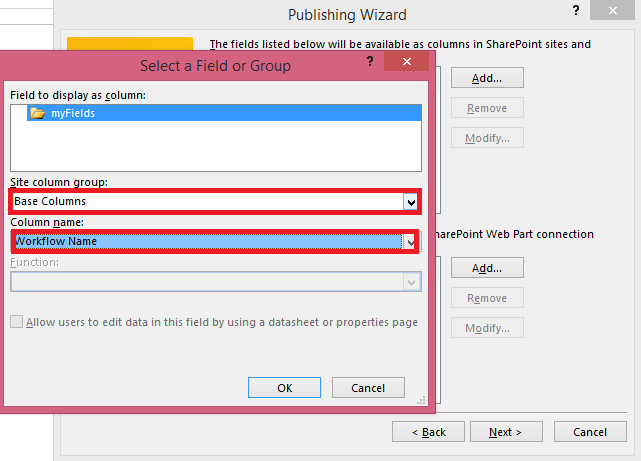
In the publishing wizard:
1. Select the field from your form to promote
2. Under sit column group select the group where the column was added and then the column name
You should be able to choose the same column for all of your forms.
Hope that Helps!
Bre