Good afternoon, everyone.
I'm relatively new to InfoPath, and trying to create a complicated form. It's a financial analysis form used by underwriters.
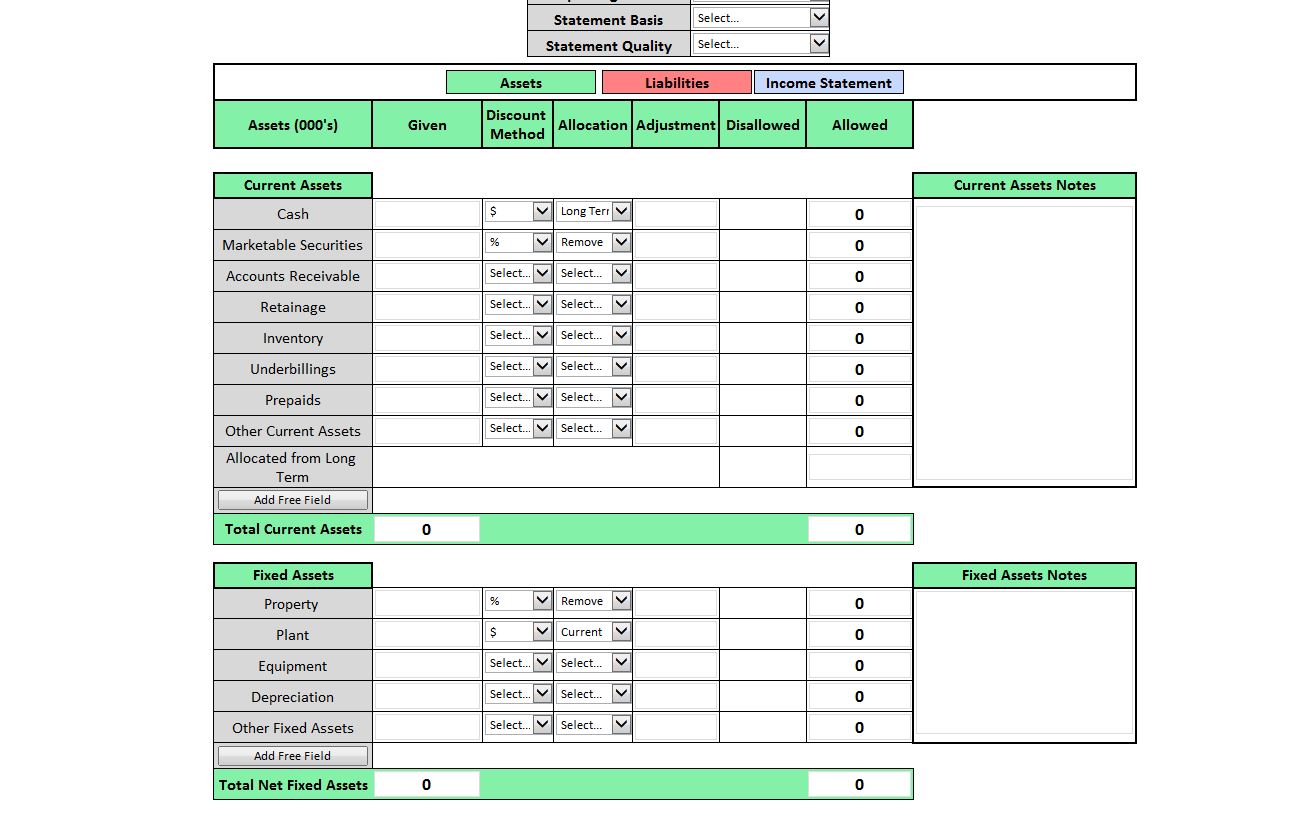
I've run into a problem trying to conditionally format certain text boxes. See the below picture.
Here's what I need to do:
1. If "%" is selected in Discount Method, the adjustment text box needs to be to formatted as a decimal percentage.
If "$" is selected in Discount Method, the adjustment needs to be formatted as a integer.
2. If formatted for "%", the Disallowed amount is calculated by multiplying the Given amount by the Adjustment value.
If formatted for "$", the Disallowed amount is calculated by multiplying the Given amount by the Adjustment value.
3. If "Remove" is selected in Allocation, the Disallowed amount goes nowhere.
If "Long Term" or "Current" is selected in Allocation, the Disallowed amount needs to be summed in "Allocated from Long Term" or "Allocated from Current" respectively.
Any ideas?
Thanks in advance for your help.