Hilary first off thank you so much for your helpful posts, every piece of information you've provided gets me closer to my solution!!!
I still not there yet and was wondering if you could help me out with calculated fields (I believe they are the best way for me to link up 2 repeating tables).
I am going to attach 5 files, they are screenshots of my infopath form (some fields blurred out). Hopefully these screenshots will help me better communicate my issues. There are 5 jpg files, help1, help2, help3, etc. Since I can only attach one file per post I am going to reply to this thread several times until all help jpg's are posted.
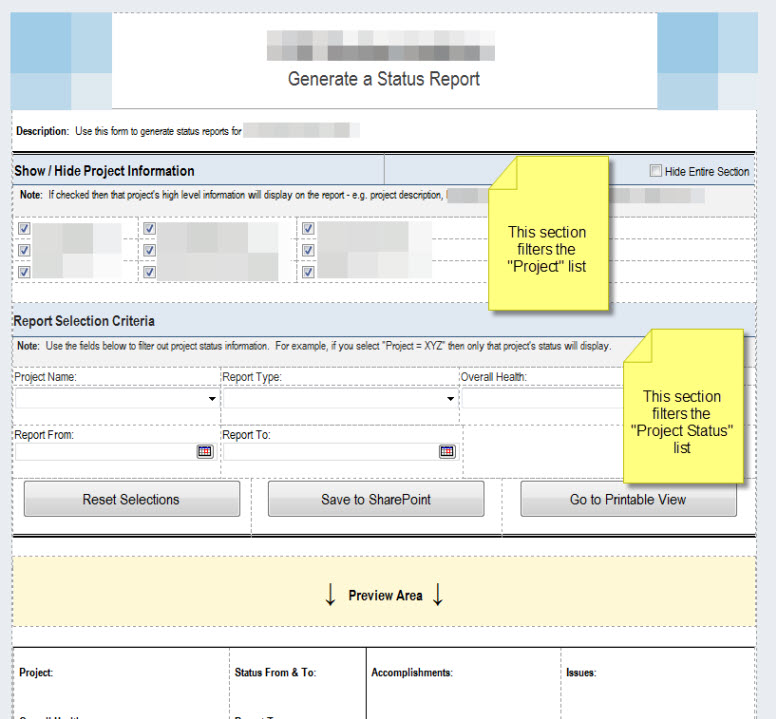
Help jpg #1 - this shows the first View of my form. In the "show / hide information" section I use it to allow the user to select which project's information will display on "project information" repeating table in the "print" view. I did this by adding query fields to the view. In the "report selection criteria" area I am using query fields to allow users to select what they want to see on the "print" view for repeating table "project status".
Help jpg #2 - this shows "print" view of my form. This is formatted for printing. "Project Information" is coming from one list and is a repeating table. "Project Status" is comign from another list and is a repating table. I want to join these tables together but can't figure out how to do it. I believe you said calculated fields is the answer. Example: I would like have information like "overall health" field display in the first repeating table. What strange is I cannot add a new row to the first repeating table only new columns. How do I fix this?
Help jpg #3 - this shows the data view for the "project status" list.
Help jpg #4 - this shows the data view for the "project information" list.
Help jpg #5 - this shows my attempt to create a calculated field to display "overall health" in the "project information" repeating table. It didn't work.
My 2 big questions:
Thanks