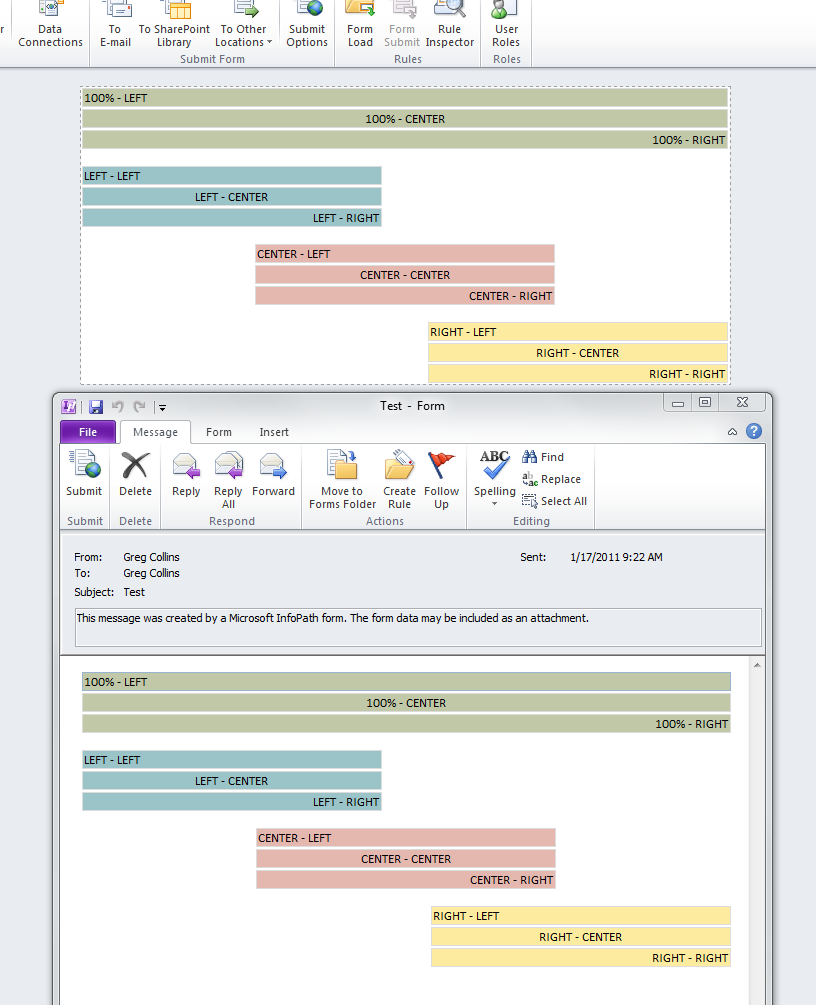
Ben, I'm not sure what is going on for you. I tried a little experiment:
1. Create a new blank InfoPath 2010 Filler form.
2. In the default layout table, insert 4 sets of 3 text boxes.
3. Leave the first set at 100% width, but set the width of the last 3 sets of 3 text boxes to 300 px. Make sure that each box is on it's own line.
4. Center the 3rd set and right-align the 4th set of 3 text boxes.
5. Add default values as "LEFT", "CENTER", and "RIGHT" to each box in each set, then in the properties for the center/right boxes, set the text align to center/right appropriately.
6. Add an email submit connection to your email address. Preview and submit.
All of the boxes aligned correctly for me, as well as all the text in each box.