Hi All,
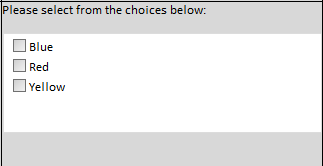
I'm still pretty new to InfoPath and I'm trying something a little above my level and need assistance. I'm creating a form with an approval workflow attached to it. How it essentially works is a user fills out the form and then submits it by clicking the Submit button at the bottom of the form. Once the form is submitted, an approval workflow is triggered that would notify certain departments based on how the form was filled out. On the form I have a Multiple Selection List Box and given it a field name Colors. Within the control I have choices (checkbox) of Red, Blue and Yellow to make things simple.
Here is what I want it to do:
If Red and/or Blue is selected, I want the Color Owners Group in Sharepoint to be notified via email that there is a form submitted for their review. I don't think that this would be done in SharePoint Designer but I could be wrong. If this is done in InfoPath I need assistance in doing so.
Here is what I have done in InfoPath:
I created a connection, called "Email Submit", to submit data as an email message. I then created a rule on the Submit button for if "Colors-is equal to-'Red' and 'Blue'" then "Submit Data" using the Email Submit data connection. The problem here is that when I created the Email Submit connection I cannot select a SharePoint group to receive the message. The second problem is that when the submit button is clicked after the form has been filled out, a pop up window shows up telling the user that it will submit the information to the users email accounts that were included. Seems like I have to enter each and every user's email that belong to the SP Group and this will get very redundant.
My desire is that when the submit button is pressed that the pop up does not show up (I know this behavior is expected based on how I set it up). Is there a better way of accomplishing what I need?