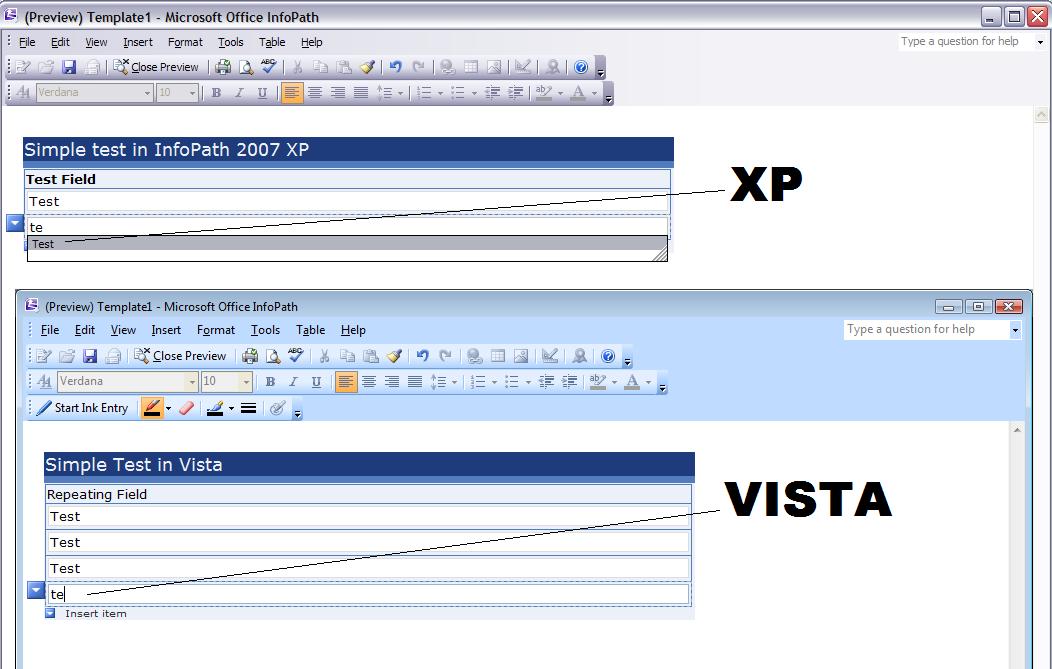
"AutoComplete" in InfoPath is a handy feature. For users that fill out many forms or similar forms over and over again "AutoComplete" allows users to quickly select previously entered text from a drop down list in the InfoPath client. This can save a lot of time for end users depending upon the form and data being entered.
Recently a client opened a bug for a form we had created - the client wanted me to "add AutoComplete back to the form" and wanted to know why we had removed such a handy feature from the form ("Enable AutoComplete" in display options for text boxes was checked).
Upon further investigation it looks like this is a bug with Vista and InfoPath 2007 and I have been able to repro this on several different Vista setups to verify; by default as in InfoPath 2003 the "Enable AutoComplete" option is turned on for text boxes in Vista, toggling this control has no effect on the behavior of this issue.
Here is an image showing the AutoComplete working in XP and not working in Vista in InfoPath 2007: