I have figured out how to make this work. The EXPRESSION you need to use in your conditional formatting is:
For the Page Break Section:
round(count(../preceding-sibling::my:group2) div 8) != count(../preceding-sibling::my:group2) div 8 OR count(../preceding-sibling::my:group2) = 0
For the Header Section:
round(count(../preceding-sibling::my:group2) div 8) != count(../preceding-sibling::my:group2) div 8 AND count(../preceding-sibling::my:group2) != 0
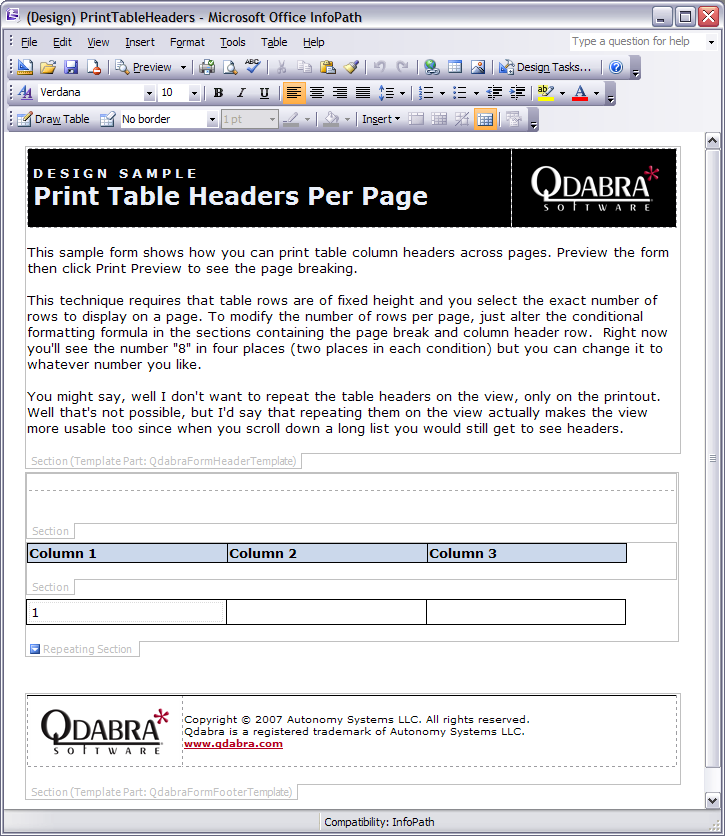
Note it's slightly different for each section so you don't get an initial page break. Also I was wrong about the placement of the page break. Easiest to put it at top above the header. See the screen shot.
The attached example form template demonstrates this technique.
2007-07-25: This post has been edited for accuracy.
Shiraz Cupala / Microsoft InfoPath MVPQdabra® Software / Streamline data gathering to turn process into knowledge