How can I disable multiples control at once in a browser form? - InfoPath Dev
in

InfoPath Dev

How can I disable multiples control at once in a browser form?

Last post 02-10-2012 10:11 AM by Anson Hidajat. 1 replies.
Page 1 of 1 (2 items)
Sort Posts: Previous Next
  • 02-10-2012 10:05 AM

    How can I disable multiples control at once in a browser form?

    Hi,

    Help, please.

    I have a browser form and I want to disable multiples controls simultaneously?

    Disable 1 control is easy but what happened when we need to disable 20 at once.

    How can I do that?

    Thanks in advanced

  • 02-10-2012 10:11 AM In reply to

    Re: How can I disable multiples control at once in a browser form?

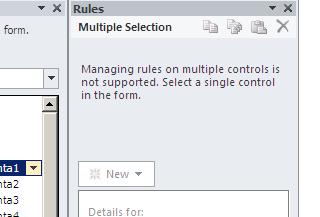
    You can create a formatting rule that can disable a control based on a specific condition such as when a field is equal to a specific value.  To do this go to the Rules Manager (if you are using 2010) and create a new formatting rule for the control you want to disable.  Then set the conditions and check off Disable this control.  You will need to do this for every control that you want to disable.
    Anson Hidajat
    Qdabra® Software/ InfoPathDev.com
    The InfoPath Experts – Streamline data gathering to turn process into knowledge.™

Page 1 of 1 (2 items)
Copyright © 2003-2019 Qdabra Software. All rights reserved.
View our Terms of Use.