NEWBIE! How do I get the "submit", "close", and "print view" to appear at bottom? - InfoPath Dev
in

InfoPath Dev

NEWBIE! How do I get the "submit", "close", and "print view" to appear at bottom?

Last post 02-24-2013 12:31 PM by Patrick Halstead. 1 replies.
Page 1 of 1 (2 items)
Sort Posts: Previous Next
  • 02-22-2013 12:27 PM

    • shamisty
    • Not Ranked
      Female
    • Joined on 02-22-2013
    • Austin, Tx
    • Posts 25

    NEWBIE! How do I get the "submit", "close", and "print view" to appear at bottom?

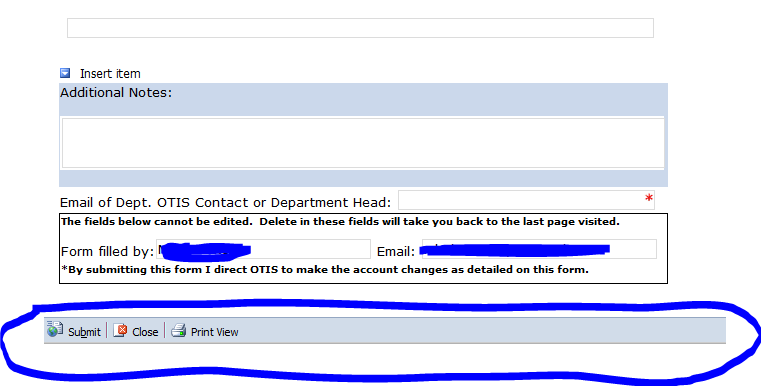
    I have succesfully made many forms, but how do you get the submit,, close, and print view buttons (but it looks like a section) at the bottom of the form, rather than a ribbon at the top???? This has been so annoying for me. Al
    Misty
    aMUSEr, Star Trekie, Full time Nerd.
    My other full time job - Dr, booboo kisser, tear wiper, booty wiper, chef, bather, milker, diaper changer, dish washer, clothes washer, monster ninja, hug giver, kiss giver, story teller, etc = MOM
  • 02-24-2013 12:31 PM In reply to

    Re: NEWBIE! How do I get the "submit", "close", and "print view" to appear at bottom?

    You can add a separate button for Close and Submit and hide the default buttons at the top (see file->form properties->...). To do printing on a custom button will require some code
    Patrick Halstead
    Project Manager at Qdabra
Page 1 of 1 (2 items)
Copyright © 2003-2019 Qdabra Software. All rights reserved.
View our Terms of Use.