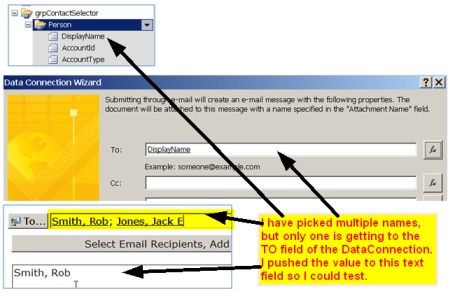
I have built a custom control using the Contact Selector. I created a 'People Picker' using an old blog (http://blogs.msdn.com/b/infopath/archive/2007/02/28/using-the-contact-selector-control.aspx). Everything is working OK up to a point. I can search for names just fine. I am able to use the 'DisplayName' for the TO field of the SendEmail data connection... BUT - I'm only getting the first name I select to appear. I am setting the field to the value of the DisplayName attribute. When I select multiple names, I only get the first one.
I created a rule to push the results of my 'people picker' to a text field on the form so I could test with different configurations. I've tried several. Nothing gets me what I need, which is ALL the names I select (essentially separated by a semicolon). I feel that it is do-able. Perhaps some sort of 'merge'. I just can't get it.
Please Help
I hope these screenshots help to illustrate what I've done.