Column max capactiy in sharepoint - InfoPath Dev
in

InfoPath Dev

Column max capactiy in sharepoint

Last post 07-19-2012 05:00 AM by ErnestoM. 1 replies.
Page 1 of 1 (2 items)
Sort Posts: Previous Next
  • 07-18-2012 09:05 PM

    Column max capactiy in sharepoint

    I would like please to set the maximum capacity of a column to a certain number of characters. This column displays a content of a text control in an infopath form, and sometimes the text is so big that it makes the list look bad, so i want to show only part of the text by seting a maximum capacity.
    Filed under:
  • 07-19-2012 05:00 AM In reply to

    Re: Column max capactiy in sharepoint

    Hi-

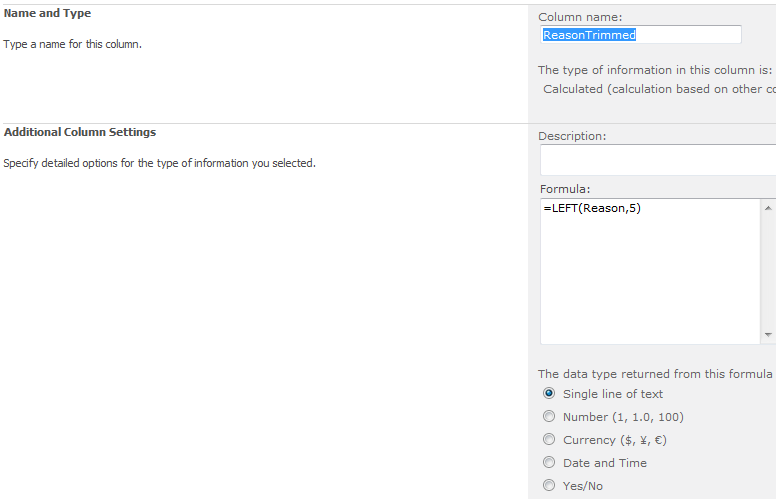
    I think you can add a new column. This new column will be set to a calculated value based on another column. 

    I'm attaching a screenshot to illustrate this.

    Then you can hide the original column (i.e. not include it in the view) and only display this one, with the "trimmed" string.

    Good luck!

    Ernesto Machado
    Qdabra® Software/ InfoPathDev.com
    The InfoPath Experts – Streamline data gathering to turn process into knowledge.™


Page 1 of 1 (2 items)
Copyright © 2003-2019 Qdabra Software. All rights reserved.
View our Terms of Use.