3 actions on submit - InfoPath Dev
in

InfoPath Dev

3 actions on submit

Last post 03-26-2012 06:03 AM by ErnestoM. 3 replies.
Page 1 of 1 (4 items)
Sort Posts: Previous Next
  • 03-22-2012 12:30 PM

    3 actions on submit

    Any idea how to achieve the following?

    Submit form:
     - Save form to library (simple)
     - Email "supplier" view to supplier (email address is in a control on the form) embedded in the email - not an attachment
     - Print "customer" view

    Infopath/Sharepoint 2010

  • 03-23-2012 05:51 AM In reply to

    Hi-

    As you've probably found out already, there is no button action for Print, so I think that will be the difficulty.

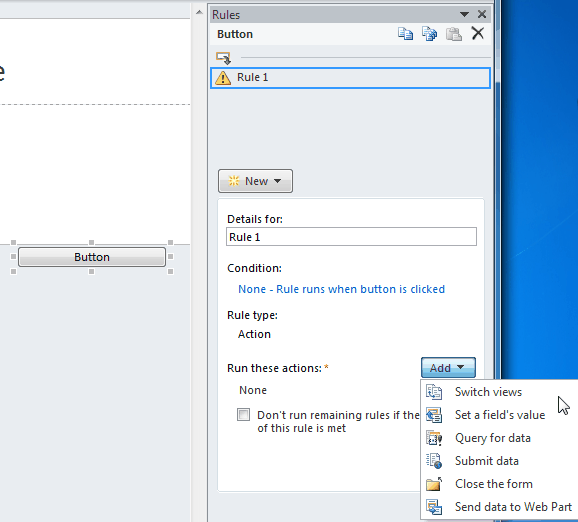
    You can have a button, configured to use rules, and have the rules perform the first two actions you've listed. That part should be doable.

    I think the most you could do codelessly is add a third rule that switches view to the "customer" view, and and train the users to click File > Print.


    Ernesto Machado
    Qdabra® Software/ InfoPathDev.com
    The InfoPath Experts – Streamline data gathering to turn process into knowledge.™


  • 03-25-2012 01:06 PM In reply to

    thanks, what I have now is a button to send an email.... I've confirmed it works by setting the receipient to be myself but it would be nice to have some sort of confirmation.

    At the moment you click the button and assume that it worked because there is no visual clue, not even an hourglass.
    Is there a way to specify the from address? At the moment it is using the generic and meaningless account from the sharepoint farm, the one that sends alerts etc.


  • 03-26-2012 06:03 AM In reply to

     If it's a filler (client) form you can show a confirmation message to the user, but not if it's a browser form.

    You cannot specify the from address on submit. The user would have to enter the email address in the form, and then click Submit.

    Ernesto Machado
    Qdabra® Software/ InfoPathDev.com
    The InfoPath Experts – Streamline data gathering to turn process into knowledge.™


Page 1 of 1 (4 items)
Copyright © 2003-2019 Qdabra Software. All rights reserved.
View our Terms of Use.