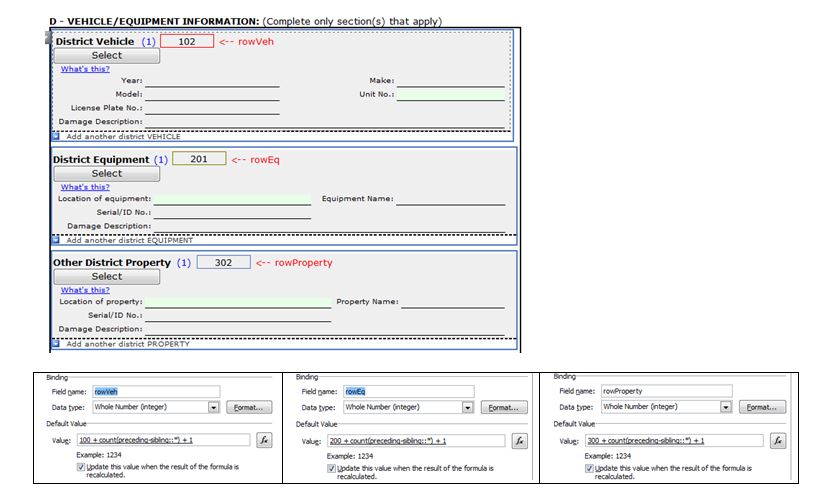
Thank you. I am unable to make anything but the asterisk (*) stick in the formula - whether it be typed in fx field with "Edit XPath" clicked or not, or if typed in the default value textbox (before clicking fx). hmmm
- When I cilck Insert Field or Group, it inserts a dot (.) and spits out error."Node-test expected."
- When I type in the name Example: "my:rowVeh", it spits out error "../preceding-sibling::my:rowVeh" does not point to a valid location path of a field or group."
In my uploaded example I have 3 repeating tables where row numbering starts with 100, 200 or 300 depending on the section. Note how first and last section start numbering with 2 (102, 302) instead of 1, like section 2 correctly shows (201). Each default value is typed in the same.
As a work-around I have changed the formula for section 1 and 3 to be "count(../preceding-sibling::*) - 1 + 1" and this causes numbering to start with #1.