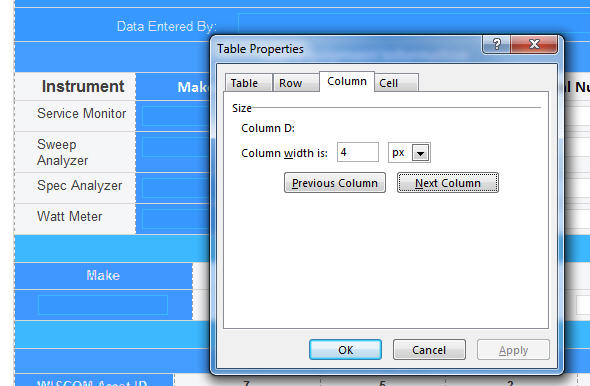
Deciding and implement the best form width is very difficult. When I right click the form and choose 'table properties' and the 'column' tab and click 'next' the display bounces from area to area giving nonsensical Column widths like '4 px' and '10 px'. I suspect my form is about 650 px but have no way of confirming it. On a brand new form, with just 2 columns I get sensible answers and can add them (about 650 total) and they change sensibly when I drag things wider. But my more developed form is resisting any sensible measure of width. Would opening is SP designer help?
Related: These forms will be used in the field by a variety of browsers. Is there any optimal number for form width?
I have a lot of fields to cover but don't want to make anyone scroll. (These forms are NOT opening in a dialog box, but as a separate window.)
Thanks,
Pete