Infopath dropDownList control (set specific item at the bottom and the sort the rest alphabetically) - InfoPath Dev
in

InfoPath Dev

Infopath dropDownList control (set specific item at the bottom and the sort the rest alphabetically)

Last post 07-12-2017 08:08 AM by Hilary Stoupa. 1 replies.
Page 1 of 1 (2 items)
Sort Posts: Previous Next
  • 07-12-2017 04:55 AM

    Infopath dropDownList control (set specific item at the bottom and the sort the rest alphabetically)

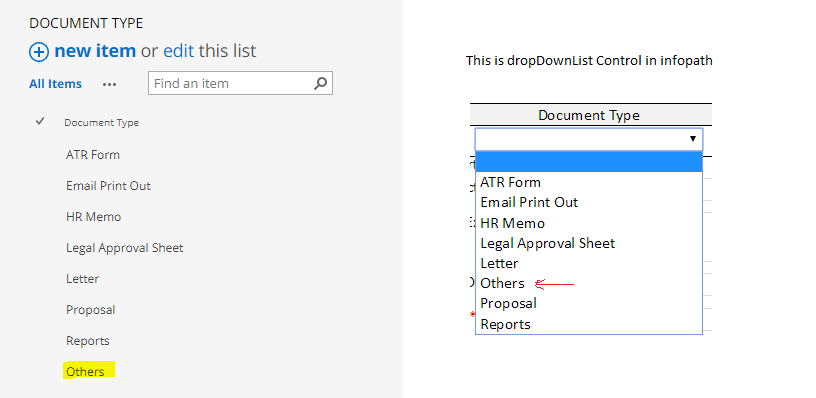
    Hi, in infopath, when I create a data connection to get values from a list from Sharepoint Online. How can I sort the list so that i can specify an item always at the bottom and the rest will sort alphabetically. Eg: I want "Others" always at the bottom, and sort the rest alphabetically.
  • 07-12-2017 08:08 AM In reply to

    Re: Infopath dropDownList control (set specific item at the bottom and the sort the rest alphabetically)

    No real easy way here. I'd just add a Sort Order column to my list and set it manually, then sort by that column in the data connection.
    Hilary Stoupa

Page 1 of 1 (2 items)
Copyright © 2003-2019 Qdabra Software. All rights reserved.
View our Terms of Use.